
Download 1st JavaScript Editor – Free Windows JavaScript Development Tool
Overview
The 1st JavaScript Editor is a lightweight yet powerful development environment designed specifically for writing, testing, and debugging JavaScript code on Windows platforms. First released in the early 2000s, this trial‑version software has survived multiple Windows generations, from Windows 95 up through modern 32‑bit editions, making it a nostalgic choice for developers who appreciate classic UI design paired with modern scripting capabilities. Version 3.6, the latest update dated July 24 2006, brings a refined syntax highlighter, an integrated console, and a set of code‑snippets that accelerate development cycles for both novice hobbyists and seasoned web engineers.
Although the tool is no longer actively maintained, its small footprint (requiring far less disk space than contemporary IDEs) and straightforward interface continue to attract users in regions such as Indonesia, Nigeria, and Pakistan, where it has amassed over 16,000 downloads since its debut on our platform. The editor’s primary focus is on JavaScript, but it also supports embedded HTML and CSS, allowing developers to craft complete web pages without switching applications. Its trial nature means that full‑feature access is limited, yet the free version still offers a robust set of utilities for rapid prototyping, syntax validation, and basic debugging.
If you’re searching for a secure, no‑cost solution to edit JavaScript on a legacy Windows machine, the 1st JavaScript Editor remains a viable option.
Key Features
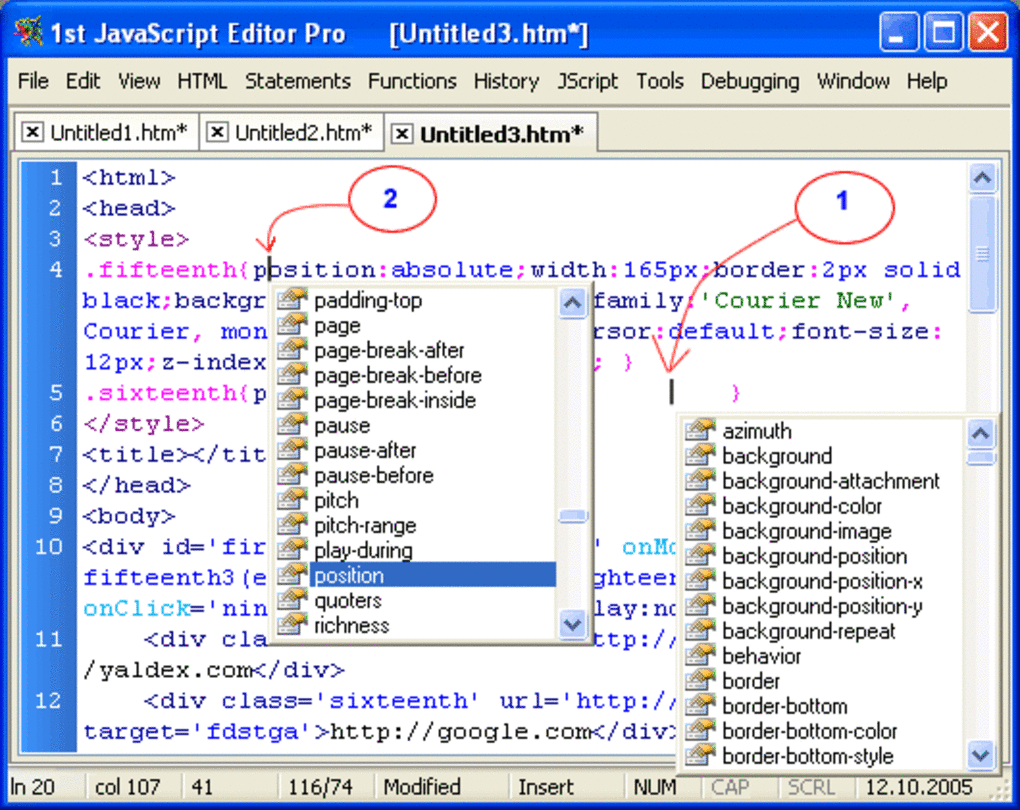
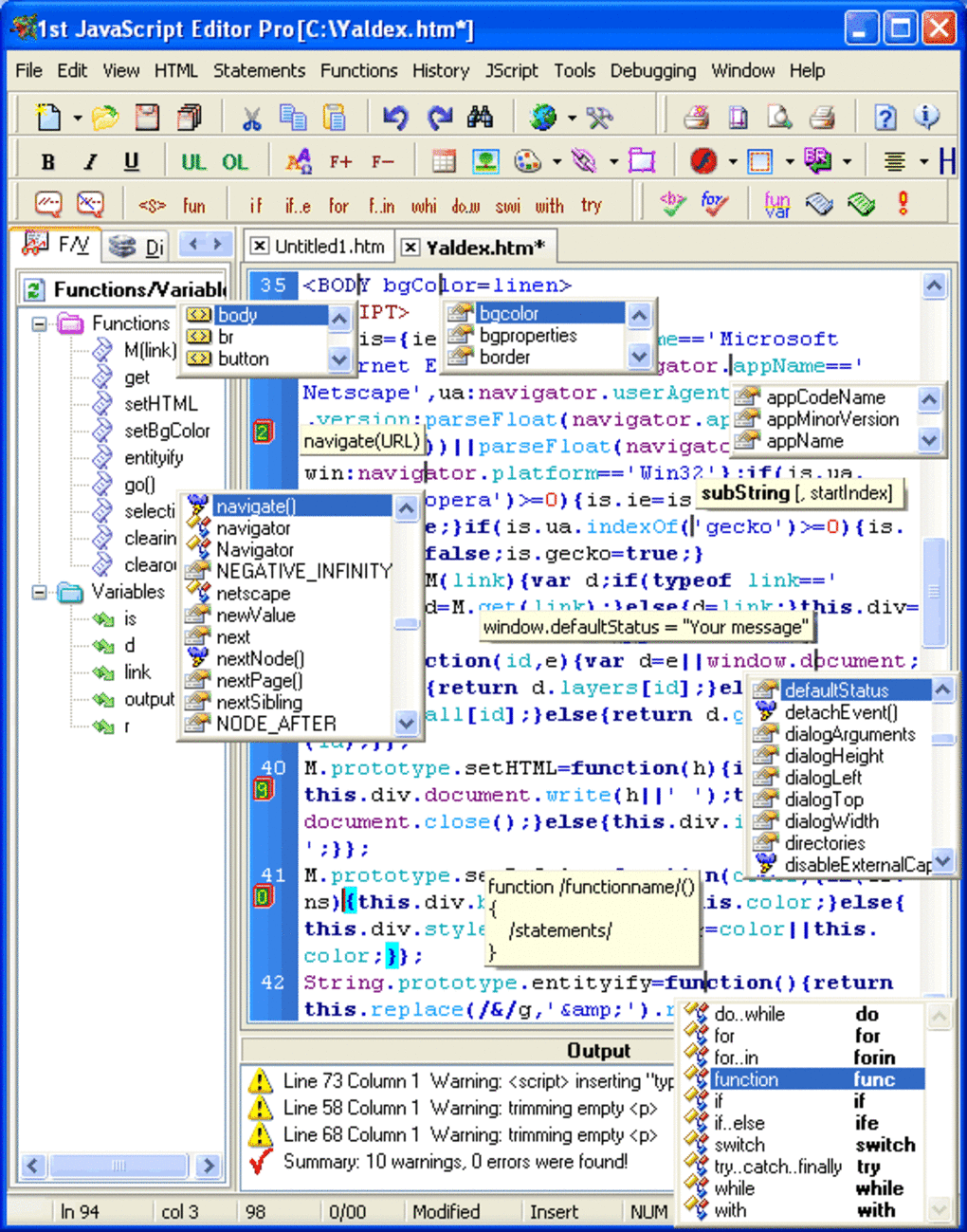
- Syntax Highlighting for JavaScript: Distinct color schemes for keywords, variables, strings, and comments improve readability.
- Integrated Debug Console: Run scripts directly within the editor and view console output without leaving the workspace.
- Code Snippet Library: Pre‑built functions for common tasks (e.g., AJAX calls, DOM manipulation) speed up development.
- Auto‑Indentation & Bracket Matching: Automatic formatting helps keep code clean and reduces syntax errors.
- Search & Replace with Regular Expressions: Powerful text manipulation tools for large codebases.
- Lightweight Installer: The installer occupies less than 5 MB, making it ideal for systems with limited storage.
- English Language Interface: Clear menus and tooltips simplify navigation for international users.
- Legacy Windows Support: Fully compatible with Windows 95, 98, ME, 2000, and XP, ensuring smooth operation on older hardware.
While the feature set may appear modest compared with modern IDEs like Visual Studio Code or WebStorm, each component of the 1st JavaScript Editor is purpose‑built for speed and stability. The editor launches in under two seconds, even on machines with 256 MB of RAM, and its low‑overhead design means you can keep multiple instances open without noticeable slowdown. The built‑in console captures console.log output, error messages, and stack traces, giving you a quick feedback loop while you iterate on your scripts. For developers who need a portable solution, the editor can be installed on a USB stick and run on any compatible Windows PC, offering a “bring‑your‑own‑IDE” experience that many cloud‑based editors cannot match.
Installation, Usage & Compatibility
Step‑by‑Step Installation Guide
- Download the installer from the official download page. The file is named
1stJS_Editor_v3.6_setup.exeand is approximately 4.2 MB. - Run the executable; Windows will display a standard security prompt. Click Run to continue.
- Accept the End‑User License Agreement and choose the destination folder (default:
C:\Program Files\1stJS_Editor). - Click Install. The installer copies the necessary files and creates a desktop shortcut.
- After installation, launch the editor by double‑clicking the shortcut or selecting it from the Start menu.
The installer automatically registers the program as a .js file handler, allowing you to open JavaScript files directly from Windows Explorer. If you prefer a portable installation, extract the .zip version to any writable directory and run 1stJS_Editor.exe without performing a system‑wide install.
How to Use the Editor Effectively
Upon opening the editor, you are greeted with a clean workspace consisting of a menu bar, a file tree on the left, and the main editing pane. Begin by creating a new file (Ctrl+N) or opening an existing script (Ctrl+O). The syntax highlighter instantly applies colors to JavaScript constructs, while the line numbers on the left help you navigate large files.
To execute a script, press F5 or select Run → Execute from the menu. The integrated console appears at the bottom, displaying any console.log statements, errors, or alerts generated by your code. For quick debugging, use the Find Errors command (Ctrl+Shift+E) which scans the file for common pitfalls such as missing semicolons or unmatched brackets.
Compatibility
The 1st JavaScript Editor is officially supported on the following Windows operating systems:
- Windows 95
- Windows 98
- Windows ME
- Windows 2000
- Windows XP (32‑bit)
Because the application is a 32‑bit native executable, it runs under compatibility mode on newer Windows versions (7, 8, 10, and 11) when the appropriate settings are applied. However, the developer recommends using it on genuine legacy systems for optimal performance. The program does not support macOS, Linux, Android, or iOS, as it relies on Windows‑specific APIs for its UI and console integration.
Pros and Cons
Advantages
- Extremely Small Footprint: Ideal for computers with limited storage or older hardware.
- Fast Startup: Launches in seconds, even on machines with minimal RAM.
- Legacy OS Support: Works on Windows 95‑XP, making it a rare tool for vintage development environments.
- Integrated Console: No need for external browsers or command‑line windows for basic debugging.
- Free Trial Version: Allows users to evaluate core features without any financial commitment.
Drawbacks
- Outdated UI: The visual design reflects early‑2000s standards and may feel archaic to modern users.
- Limited Feature Set: Lacks advanced capabilities such as code refactoring, Git integration, and extensions.
- No Official Support: The software has not been updated since 2006, so bug fixes are community‑driven.
- Windows‑Only: Excludes macOS, Linux, and mobile platforms, reducing its appeal for cross‑platform developers.
- Trial Restrictions: Some premium features (e.g., project management tools) are locked behind a paid upgrade that is no longer offered.
Frequently Asked Questions
Is the 1st JavaScript Editor still safe to download?
Yes, the installer is hosted on a reputable download portal and has no known malware. However, because the software is no longer maintained, you should run it on a trusted Windows machine and keep your antivirus updated.
Can I use the editor for modern JavaScript (ES6+) features?
The built‑in syntax highlighter recognizes most ES5 constructs but does not fully support newer ES6+ syntax such as arrow functions, template literals, or modules. For modern code, you may need an external linter.
Do I need an internet connection to run the editor?
No. The 1st JavaScript Editor is a fully offline application. Internet access is only required if you wish to download updates or access online documentation.
Is there a way to import or export projects?
Projects are saved as regular .js, .html, and .css files, which you can move, copy, or archive using Windows Explorer. There is no built‑in project export wizard.
What kind of license does the trial version have?
The trial version is free for personal, non‑commercial use. Commercial deployment requires a paid license that is no longer sold by the original developer.
Final Verdict & Call to Action
The 1st JavaScript Editor delivers a nostalgic, lightweight environment for developers who need a quick, no‑frills way to write and test JavaScript on legacy Windows systems. Its fast launch time, integrated console, and minimal disk usage make it a handy tool for students, hobbyists, and anyone maintaining older web projects. While the lack of modern features, limited OS support, and outdated UI may deter power users, the editor’s free trial status and secure download process ensure that you can evaluate its core capabilities without risk. If you’re working on a machine that cannot handle heavyweight IDEs, or if you simply enjoy the simplicity of a classic editor, the 1st JavaScript Editor remains a solid choice.
Download the 1st JavaScript Editor now and start building JavaScript applications instantly. Remember to keep a backup of your scripts and consider pairing the editor with a modern linter for the best of both worlds.







